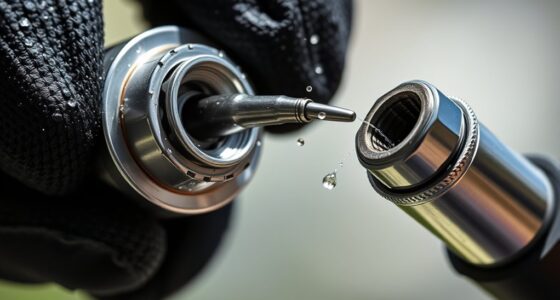
Maintaining your DEWALT 20V MAX Cordless Drill Driver Set ensures optimal performance and longevity. Whether you’re experiencing issues or just want to keep your tool in top shape, this comprehensive guide will walk you through essential troubleshooting and care steps.

Get business pricing on tools and workshop supplies
- Business-only prices and quantity discounts
- Tax-exempt purchasing
- Multiple users, one account, clear invoices
From battery care to motor checks, we’ll cover everything you need to know to troubleshoot common problems safely and effectively.
Key Takeaways
| Battery Maintenance | Keep batteries charged and store properly to maximize lifespan. |
| Troubleshooting Power Issues | Check connections, switches, and batteries when the drill won’t power on. |
| Motor & Chuck Care | Clean and inspect the motor and chuck regularly for smooth operation. |
| LED Light & Controls | Ensure LED light functions and controls respond correctly for safety. |
| Routine Checks | Perform periodic inspections to prevent future issues. |
Battery Care and Troubleshooting
- Ensure your battery is fully charged using the DEWALT charger. If the battery isn’t charging, check the power outlet and the charger connections for any damage.
- Inspect the battery for any visible damage or corrosion. Clean the contacts with a dry cloth if needed.
- If the battery isn’t providing enough runtime, consider replacing it with a new 20V MAX 5 Ah Lithium-Ion battery for optimal performance.
- Always store batteries in a cool, dry place and avoid extreme temperatures to extend their lifespan.
Power and Trigger Troubleshooting
- If your drill isn’t turning on, first check the battery charge level. Replace or recharge if necessary.
- Ensure the trigger is pressed firmly and that no debris is blocking the trigger mechanism.
- Inspect the switch for damage or wear. If the switch feels loose or unresponsive, it may need replacement.
- Test the drill with a different, fully charged battery to rule out battery issues.
Motor and Chuck Maintenance
- Regularly clean the chuck and surrounding areas to remove dust and debris that can impede operation.
- Use a brush or compressed air to clear motor vents, preventing overheating.
- Check the chuck for proper tightness before use. If it becomes loose, tighten it securely or replace if damaged.
- Listen for unusual sounds during operation, which might indicate motor wear or damage requiring professional servicing.
LED Light and Additional Controls
Ensure the LED light activates when the trigger is pressed. If it doesn’t, check for debris blocking the light or faulty wiring. Replacing the LED bulb or repairing wiring may be necessary, which should be done by a qualified technician.
Test all control buttons periodically to confirm proper response. Damaged controls should be repaired promptly to maintain safe operation.
Routine Inspection and Preventive Care
- Regularly examine the drill for cracks, loose parts, or signs of wear.
- Lubricate moving parts if recommended by DEWALT’s service guidelines to ensure smooth operation.
- Replace worn-out parts such as the chuck or switch to prevent larger failures.
- Keep the drill clean and dry after each use to prevent rust and damage.
The Products in This Guide

DEWALT 20V MAX Cordless Drill Driver Set
- ✔ Product: DCD777D1
- ✔ Included: Battery & Charger
- ✔ Design: Ergonomic & Compact

DEWALT Drill Bit Set
- ✔ Set Size: 14 pieces
- ✔ Tip Design: Split point
- ✔ Coating: Rust-resistant
DEWALT 20V MAX Cordless Drill Driver Set
The DEWALT 20V MAX Cordless Drill Driver Set (DCD777D1) is a versatile and reliable tool perfect for a wide range of DIY and professional tasks. Its brushless motor delivers more run time, and the compact design allows for easy use in tight spaces.
Pros:
- Brushless motor for increased efficiency
- Lightweight and ergonomic design
- LED light with delay feature
- Includes 2.0 Ah battery and charger
Cons:
- Battery life may vary with heavy use
- Requires proper maintenance to avoid motor issues
- Limited to 1/2 inch chuck size
Best for: General-purpose drilling, fastening, and DIY projects in tight spaces.
Not ideal for: Heavy-duty industrial applications or extended continuous use.
Bottom line: A reliable, lightweight drill ideal for versatile tasks, provided proper maintenance is followed.
DEWALT Drill Bit Set
The DEWALT Drill Bit Set with 14 pieces offers high-speed steel bits with a 135-degree split point, designed for tough drilling into plastic, wood, and metal. Its robust construction and anti-slip shank make it a valuable addition for any toolkit.
Pros:
- High-speed steel construction
- Split point for reduced walking
- Anti-slip 3-flats shank
- Wide size range
Cons:
- Not suitable for heavy-duty industrial use
- Limited to specific materials
- Bits may require frequent replacement in tough conditions
Best for: Home repairs, woodworking, and light metalwork.
Not ideal for: Heavy industrial drilling or prolonged use in demanding environments.
Bottom line: A versatile drill bit set that enhances precision and durability for various projects.
Frequently Asked Questions
How often should I replace the batteries in my DEWALT drill?
Replace batteries when they no longer hold a charge or show signs of damage or corrosion. Using high-quality batteries like the DEWALT 20V MAX 5 Ah Lithium-Ion ensures longer-lasting performance.
What is the best way to clean my DEWALT drill?
Use a dry cloth or compressed air to remove dust and debris. Avoid using water or harsh chemicals that could damage internal components. Regular cleaning helps maintain optimal operation.
Can I use other batteries with my DEWALT drill?
It’s recommended to use DEWALT batteries compatible with your model, such as the 20V MAX 5 Ah Lithium-Ion batteries. Using incompatible batteries may cause damage or poor performance.
What should I do if my drill’s LED light stops working?
Check for debris blocking the LED or loose wiring. If cleaning doesn’t resolve the issue, consult a professional technician or contact DEWALT customer service for repair options.
How can I extend the lifespan of my DEWALT drill?
Perform regular maintenance, store the tool properly, avoid overloading, and replace worn parts promptly. Proper care ensures consistent performance over time.
Keeping Your DEWALT Drill at Peak Performance
Routine maintenance and troubleshooting are essential to prolong the life of your DEWALT 20V MAX Cordless Drill. By following the steps outlined in this guide, you can ensure safe operation and prevent costly repairs. Remember, regular inspections and proper battery care are key to maintaining reliable performance in all your projects.
Investing a little time in care now will save you headaches later, allowing your DEWALT drill to serve you effectively for years to come.
Affiliate disclosure: As an Amazon Associate we earn from qualifying purchases. Prices and availability are accurate as of the time of publishing.
Fall yard work Picks
leaf blowers
As an affiliate, we earn on qualifying purchases.